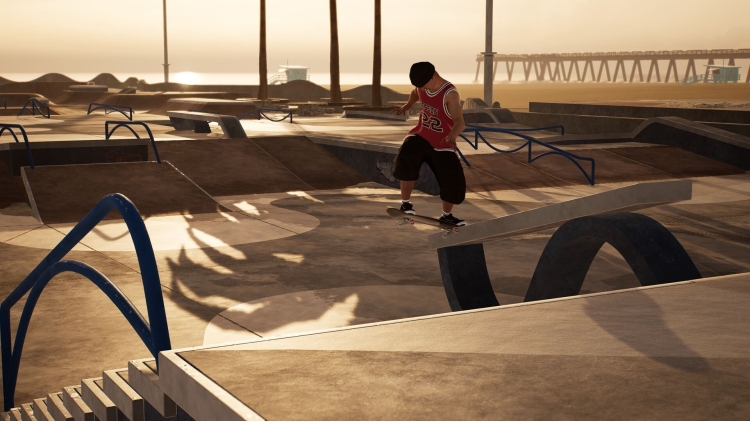
Session: Skate Sim - El Lay
¥55.19
此产品可在 United States 激活。
Add to Cart Button Icon 加入購物車

  • 平台 Steam Icon
  • 操作系统
    Windows Icon Linux Icon
  • 类型 Indie , Simulation , Sports
  • 开发商 crea-ture Studios Inc.
  • 鼻祖 Nacon
  • 年龄限制

    PEGI (Europe)

    • 12
    • Bad Language
  • 发布日 2025-10-29 9:00 AM
  • 支持的语言 English, French, German, Italian, Japanese, Korean, Polish, Russian, Spanish - Spain, Traditional Chinese, Simplified Chinese
Session: Skate Sim - El Lay

加州素有滑板圣地之称,是滑板文化的摇篮。得益于宜人的气候和冲浪文化,滑板运动在 60 年代迅速兴起,并一直热潮不断,至今未曾减退!

El Lay 呈现了加利福尼亚最令人惊叹的滑板公园精华——在这一备受追捧的滑板胜地,你可以尽情体验各种滑行线路。


DLC 内容包括:


• 1 张全新地图:El Lay

• 2 套专属服装,助你时刻保持酷炫造型!

• 6 个道具投放障碍物


©2025 Nacon. ©2025 Published by Nacon and developed by Crea-ture studios. All rights reserved.


购买 Session: Skate Sim - El Lay PC Steam Game Code - 最优惠价格 | eTail

您可以通过官方零售商 Session: Skate Sim - El Lay 以最优惠的价格快速购买 cn.etail.market PC 游戏

©2025 Nacon. ©2025 Published by Nacon and developed by Crea-ture studios. All rights reserved.

Session: Skate Sim - El Lay 最低系统要求:
--Windows--
OS *: Windows 7
Processor: Intel Core i7-2700K or AMD FX-8370
Memory: 8 GB RAM
Graphics: NVIDIA GeForce GTX 650 Ti, 2 GB or AMD Radeon R7 360, 2 GB
DirectX: Version 9.0
Storage: 15 GB available space
Sound Card: On board
Additional Notes: Your experience with Session will be best at higher FPS. Lower graphic settings to help if you're getting low FPS.

Session: Skate Sim - El Lay 推荐的系统要求 :
--Windows--
OS: Windows 10
Processor: Intel Core i7-4790 or AMD Ryzen 5 2600
Memory: 8 GB RAM
Graphics: NVIDIA GeForce GTX 970, 4 GB or AMD Radeon RX 480, 4 GB
DirectX: Version 12
Storage: 15 GB available space
Sound Card: On board
Additional Notes: Your experience with Session will be best at higher FPS. Lower graphic settings to help if you're getting low FPS.

在 Steam 上激活

从此处下载并在您的计算机上安装 Steam 客户端.

https://store.steampowered.com/?l=schinese

2)打开Steam客户端,注册并登录。 然后,找到顶部菜单上的“游戏”选项卡。 单击它并选择“在 Steam 上激活产品……”

 

3)输入显示在 eTail 订单页面上的代码。 市场并按照显示的步骤激活您的游戏。


4)现在可以监控游戏,您可以在 Steam 的“库”部分看到它。 您现在可以下载并安装游戏。

5)如果您需要更多信息和支持,可以单击此处:https://help.steampowered.com/en/wizard/HelpWithSteam

推荐的