Inertial Drift
Inertial Drift
¥76.00 ¥7.60 90%
不要错过折扣机会!
  • 小时
  • 分钟
  • 此产品可在 United States 激活。
    Add to Cart Button Icon 加入購物車

    Inertial Drift
    Inertial Drift
    Inertial Drift
    Inertial Drift
    Inertial Drift
    Inertial Drift
    Inertial Drift
    Inertial Drift
    Inertial Drift
    Inertial Drift
    Inertial Drift
    Inertial Drift
    Inertial Drift
    Inertial Drift
    Inertial Drift
    Inertial Drift
    Inertial Drift
    Inertial Drift
    Inertial Drift
    Inertial Drift
    Inertial Drift
    Inertial Drift
    Inertial Drift
    Inertial Drift

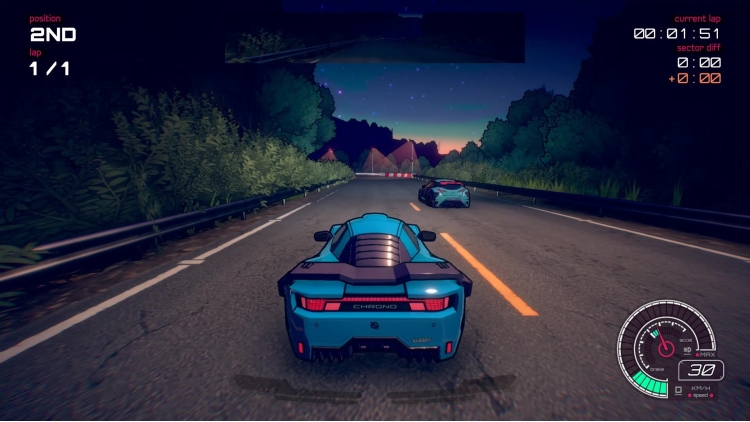
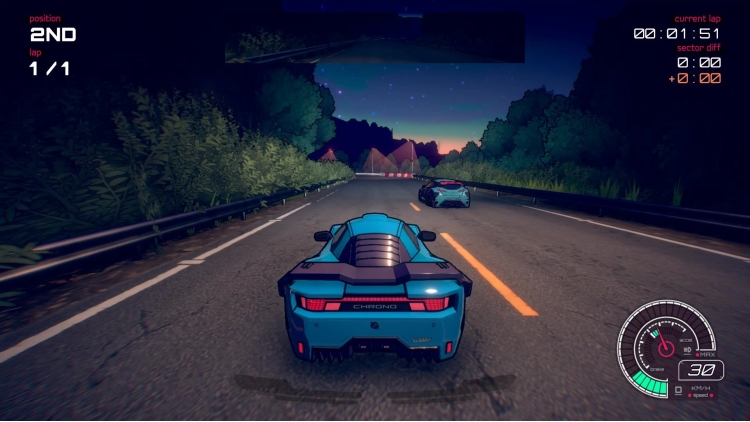
    惯性漂移是一款街机赛车游戏,背景设定在 90 年代的复古未来,具有极其独特的操控模型和令人难以置信的令人满意的双摇杆漂移机制。惯性漂移为街机赛车游戏类型提供了全新的可访问性和挑战性 - 带来真正不同于您之前玩过的任何游戏的驾驶体验。

    左摇杆用于转向,而右摇杆可让您独立控制漂移。对于新玩家来说很直观,对于专业人士来说则具有独特的挑战性。

    16 辆汽车中的每一辆都是完全不同的野兽,具有独特的特点需要掌握。驾驶运动型掀背车、轿跑车、超级跑车等!

    穿越霓虹闪烁的城市街道,在乡村寺庙群周围竞速,飞驰在蜿蜒的山口。

    每条赛道都设置在大胆而独特的环境中。包括充满活力的城市景观、沿海日落、美丽的星空和白雪皑皑的山峰。

    7 种比赛类型让您有足够的机会完善自己的技能!在各种比赛、正面交锋、计时赛和风格对决中竞争!

    您认为自己已经掌握了完美的漂移技术吗?还有什么比这更好的方式来证明这一点。通过本地合作和在线多人游戏与其他赛车手较量。

    © Level 91 Entertainment 2019。由 PQube Ltd 出版

    购买 Inertial Drift PC Steam Game Code - 最优惠价格 | eTail

    您可以通过官方零售商 Inertial Drift 以最优惠的价格快速购买 cn.etail.market PC 游戏

    © Level 91 Entertainment 2019. Published by PQube Ltd

    Inertial Drift 最低系统要求:
    OS: 64 bit Windows 10 / 8 / 7
    Processor: Intel Core i5-2500K 3.3GHz / AMD FX-8150 3.6GHz or equivalent
    Memory: 4 GB RAM
    Graphics: GeForce GTX 550 Ti / Radeon HD 6790 2GB VRAM*
    Storage: 2 GB available space
    Sound Card: DirectX compatible soundcard

    Inertial Drift 推荐的系统要求 :
    OS: 64 bit Windows 10 / 8 / 7
    Processor: Intel Core i5-4460 3.2 GHz / AMD Ryzen 5 1600X 3.6GHz
    Memory: 8 GB RAM
    Graphics: GeForce GTX 960 / Radeon HD 7950 3GB VRAM*
    Storage: 4 GB available space
    Sound Card: DirectX compatible soundcard

    在 Steam 上激活

    从此处下载并在您的计算机上安装 Steam 客户端.

    https://store.steampowered.com/?l=schinese

    2)打开Steam客户端,注册并登录。 然后,找到顶部菜单上的“游戏”选项卡。 单击它并选择“在 Steam 上激活产品……”

     

    3)输入显示在 eTail 订单页面上的代码。 市场并按照显示的步骤激活您的游戏。


    4)现在可以监控游戏,您可以在 Steam 的“库”部分看到它。 您现在可以下载并安装游戏。

    5)如果您需要更多信息和支持,可以单击此处:https://help.steampowered.com/en/wizard/HelpWithSteam

    推荐的