

Ever Forward
15%


 缺货
缺货

 加入購物車
加入購物車

PEGI (Europe)
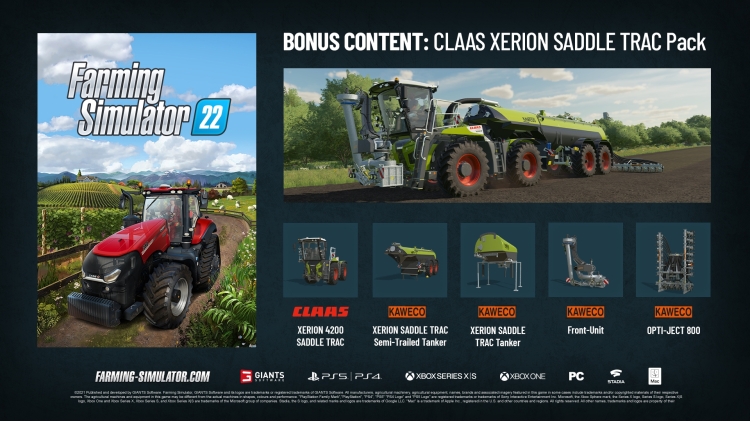
扮演一位现代农夫,在三个风格迥异的美洲和欧洲环境中,创造性地打造您的农场。《模拟农场 22》提供丰富的农场经营模式,专注于农业、畜牧业和林业——现在更新增了令人兴奋的季节性循环!
游戏中包含来自 100 多个真实农业品牌(例如 John Deere、CLAAS、Case IH、New Holland、Fendt、Massey Ferguson、Valtra 等)的 400 多种机械和工具,可用于播种和收获小麦、玉米、土豆和棉花等作物。全新的机械类别和作物将为游戏体验增添新的机制。
您甚至可以在多人游戏中合作经营农场,并通过众多免费的社区自定义修改来扩展游戏内容。《模拟农场 22》提供比以往更高的玩家自由度,并挑战您成为一名成功的农场主——赶快开始耕种,让美好时光不断增长吧!
© 2021 GIANTS Software 发行和开发。 GIANTS Software 及其徽标是 GIANTS Software 的商标或注册商标。本游戏中出现的所有制造商、农业机械、农业设备、名称、品牌和相关图像在某些情况下包含其各自所有者的商标和/或版权材料。本游戏中的农业机械和设备在形状、颜色和性能上可能与实际机器有所不同。©2021 Sony Interactive Entertainment LLC。“PlayStation Family 标志”、“PlayStation”、“PS5 徽标”、“PS5”、“PS4 徽标”、“PS4”、“PlayStation Shapes 徽标”和“Play Has No Limits”是 Sony Interactive Entertainment Inc. 的注册商标或商标。Microsoft、Xbox Sphere 标志、Series X 徽标、Series S 徽标、Series X|S 徽标、Xbox One 和 Xbox Series X、Xbox Series S 和 Xbox Series X|S 是 Microsoft 集团公司的商标。Stadia、S 徽标以及相关标志和徽标是 Google LLC 的商标。“Mac”是 Apple Inc. 在美国和其他国家和地区注册的商标。保留所有权利。所有其他名称、商标和标识均为其各自所有者的财产。
您可以通过官方零售商 Farming Simulator 22 pre order (Steam) 以最优惠的价格快速购买 cn.etail.market PC 游戏
© 2021 Published and developed by GIANTS Software. GIANTS Software and its logos are trademarks or registered trademarks of GIANTS Software. All manufacturers, agricultural machinery, agricultural equipment, names, brands and associated imagery featured in this game in some cases include trademarks and/or copyrighted materials of their respective owners. The agricultural machines and equipment in this game may be different from the actual machines in shapes, colours and performance. ©2021 Sony Interactive Entertainment LLC. “PlayStation Family Mark”, “PlayStation”, “PS5 logo”, “PS5”, “PS4 logo”, “PS4”, “PlayStation Shapes Logo” and “Play Has No Limits” are registered trademarks or trademarks of Sony Interactive Entertainment Inc. Microsoft, the Xbox Sphere mark, the Series X logo, Series S logo, Series X|S logo, Xbox One and Xbox Series X, Xbox Series S, and Xbox Series X|S are trademarks of the Microsoft group of companies. Stadia, the S logo, and related marks and logos are trademarks of Google LLC. “Mac” is a trademark of Apple Inc., registered in the U.S. and other countries and regions. All rights reserved. All other names, trademarks and logos are property of their respective owners
在 Steam 上激活
从此处下载并在您的计算机上安装 Steam 客户端.
https://store.steampowered.com/?l=schinese
2)打开Steam客户端,注册并登录。 然后,找到顶部菜单上的“游戏”选项卡。 单击它并选择“在 Steam 上激活产品……”

3)输入显示在 eTail 订单页面上的代码。 市场并按照显示的步骤激活您的游戏。

4)现在可以监控游戏,您可以在 Steam 的“库”部分看到它。 您现在可以下载并安装游戏。
5)如果您需要更多信息和支持,可以单击此处:https://help.steampowered.com/en/wizard/HelpWithSteam
 15%
缺货
15%
缺货
 65%
加入購物車
65%
加入購物車
 缺货
缺货
 加入購物車
加入購物車
 加入購物車
加入購物車
 缺货
缺货
 缺货
缺货
 缺货
缺货
 缺货
缺货
 加入購物車
加入購物車