Dave the Diver: Ichiban’s Holiday
¥29.00
此产品无法在 United States 激活!
Add to Cart Button Icon 加入購物車

  • 平台 Steam Icon
  • 操作系统
    Windows Icon Linux Icon
  • 类型 Adventure , Simulation , RPG
  • 开发商 MINTROCKET
  • 鼻祖 MINTROCKET
  • 发布日 2025-04-10 7:00 AM
  • 支持的语言 English, French, German, Italian, Japanese, Korean, Russian, Spanish - Spain, Portuguese-Brazil, Traditional Chinese, Simplified Chinese
Dave the Diver: Ichiban’s Holiday

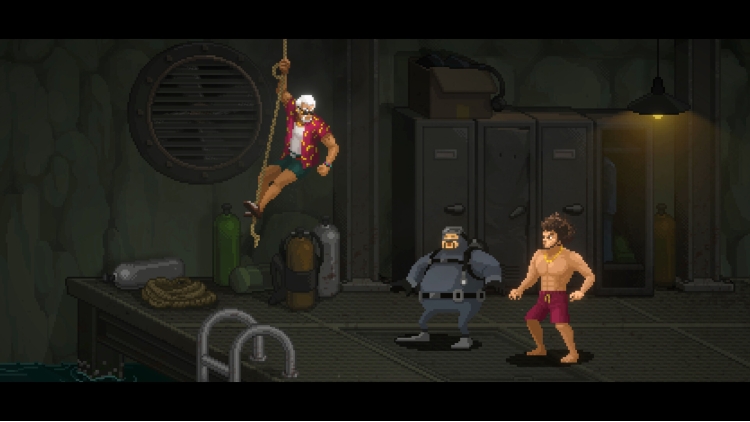
与一番并肩战斗,横扫敌人!

体验丰富多彩的迷你游戏!

全新寿司店员工加入!


・探索神秘的蓝洞!


美丽的海底中充满了无数鱼种和巨大生物,

对何时何地出现的海洋生物,是不是好奇呢?

避开威胁生物的袭击,获得新鲜的食材。

梦幻般的海洋生态和神秘的古代遗物。海里充满了谜团。


・只在夜间营业的寿司店


用亲自抓来的新鲜食材做出特别的寿司并销售吧!

如果口碑传开,可能会有特别的客人突然来访。

经营寿司店筹集资金,可以探索更深的地方!


・在深海中存在的危险


当心!异常现象导致的巨大蓝洞里有未知生命体等着您的到来。

随时充分强化您的装备。对抗巨大生物,对保护自己会有很大帮助的。


ⓒ Mintrocket. All Rights Reserved.


购买 Dave the Diver: Ichiban’s Holiday PC Steam Game Code - 最优惠价格 | eTail

您可以通过官方零售商 Dave the Diver: Ichiban’s Holiday 以最优惠的价格快速购买 cn.etail.market PC 游戏

ⓒ Mintrocket. All Rights Reserved.

Dave the Diver: Ichiban’s Holiday 最低系统要求:

OS *: Windows 7 64 bit
Processor: Intel Core i3 Dual Core
Memory: 8 GB RAM
Graphics: NVIDIA Geforce GTS 450 / AMD Radeon HD 5570
DirectX: Version 11
Storage: 10 GB available space
Sound Card: Windows Compatible Audio Device


Dave the Diver: Ichiban’s Holiday 推荐的系统要求 :
OS Version: Windows 10 64bit
Processor: Intel Core i5 - i7 Quad Core
Memory: 16 GB
Graphics: NVIDIA Geforce GTX 750Ti / AMD Radeon R9 270x
Direct X Version: 11
Disk Space: 10 GB
Sound Card: Windows Compatible Audio Device

在 Steam 上激活

从此处下载并在您的计算机上安装 Steam 客户端.

https://store.steampowered.com/?l=schinese

2)打开Steam客户端,注册并登录。 然后,找到顶部菜单上的“游戏”选项卡。 单击它并选择“在 Steam 上激活产品……”

 

3)输入显示在 eTail 订单页面上的代码。 市场并按照显示的步骤激活您的游戏。


4)现在可以监控游戏,您可以在 Steam 的“库”部分看到它。 您现在可以下载并安装游戏。

5)如果您需要更多信息和支持,可以单击此处:https://help.steampowered.com/en/wizard/HelpWithSteam

推荐的