

NASCAR Heat 4 Gold Edition
¥133.34


 缺货
缺货
 加入購物車
加入購物車

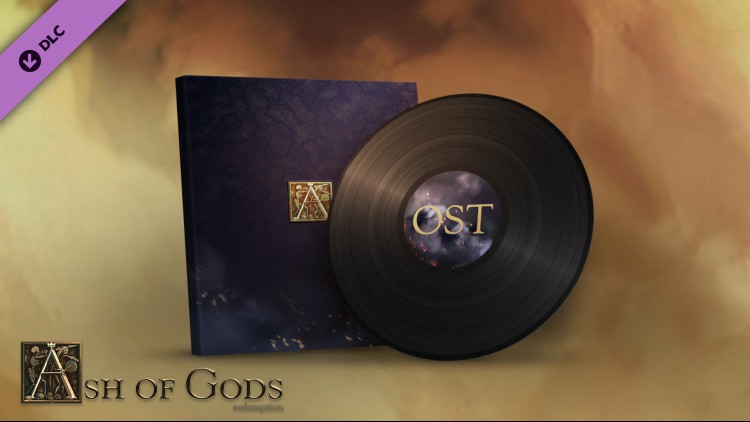
本作原声由Adam Skorupa, Krzysztof Wierzynkiewicz两位大师共同完成,他们以前的作品包括了《巫师》、《止痛药》、《EVE Online》,以及《狂野西部》等。
原声带中的每一曲都由专业人士使用现代录音棚少见的传统乐器现场进行演奏。所有曲目皆有封面,制作人员表以及完整的衍生标签。
曲目列表
-01 Terminum
-02 The Last Stand
-03 Gem in the Mountains
-04 Shadows of the Past
-05 Legions on March
-06 Burning Inside
-07 The Last Bastions
-08 Winds of Berkana
-09 Ready Your Axe!
-10 Everything We Lost
-11 Harbingers of Death
-12 I Can't Leave Her!
-13 The Highlanders' Waltz
-14 The Son of the Shadow Clan
-15 A Blow is Struck
-16 The Northern Winds are Coming
-17 On the Edge of the Plains
-18 Fight Your Fear
-19 A Path through the Ashes
-20 Turn the Wheel
-21 Taste of the Abyss
-22 Flame in Your Hands
-23 Enlightenment
-24 The Echo of the Fallen (Bonus)
-25 Reet's Song (Bonus)
制作人员
作曲:Adam Skorupa, Krzysztof Wierzynkiewicz。
额外音乐:Michal Cielecki。
声乐: Magdalena Przychodzka, Liz Katrin, Milosz Sienkiewicz, Pawel Szymiczek, Evgeniy Kostritsa, Aleksander Grochocki.
额外声乐: Adam Skorupa, Krzysztof Wierzynkiewicz.
乐器演奏: Katarzyna Kamer, Bart Palyga, Krzysztof Szmytke, Aleksander Grochocki, Adam Skorupa, Pawel Betley, Milosz Sienkiewicz
您可以通过官方零售商 Ash of Gods - Original Soundtrack 以最优惠的价格快速购买 cn.etail.market PC 游戏
在 Steam 上激活
从此处下载并在您的计算机上安装 Steam 客户端.
https://store.steampowered.com/?l=schinese
2)打开Steam客户端,注册并登录。 然后,找到顶部菜单上的“游戏”选项卡。 单击它并选择“在 Steam 上激活产品……”

3)输入显示在 eTail 订单页面上的代码。 市场并按照显示的步骤激活您的游戏。

4)现在可以监控游戏,您可以在 Steam 的“库”部分看到它。 您现在可以下载并安装游戏。
5)如果您需要更多信息和支持,可以单击此处:https://help.steampowered.com/en/wizard/HelpWithSteam
 缺货
缺货
 缺货
缺货
 缺货
缺货
 缺货
缺货
 加入購物車
加入購物車
 65%
加入購物車
65%
加入購物車
 加入購物車
加入購物車
 15%
缺货
15%
缺货
 加入購物車
加入購物車
 缺货
缺货
